If you've worked with a content team before (or if you're like me and you want to get everything close to perfect) you know that no one hits publish just to check what their changes look like.
I mean, if you're on WordPress, it's probably not too much of an issue-and you can quickly hit unpublish. But if you're on Jamstack, all sorts of things happen when you hit publish, a webhook probably gets fired off, a new deployment starts, your site gets rebuilt, a social media post automatically gets posted, everyone freaks out - total chaos.

So, what if you could see your changes in realtime in your SvelteKit app, without having to hit publish in Sanity Studio? Well, you can! And it's not that hard to do, but it takes a little bit of setup.
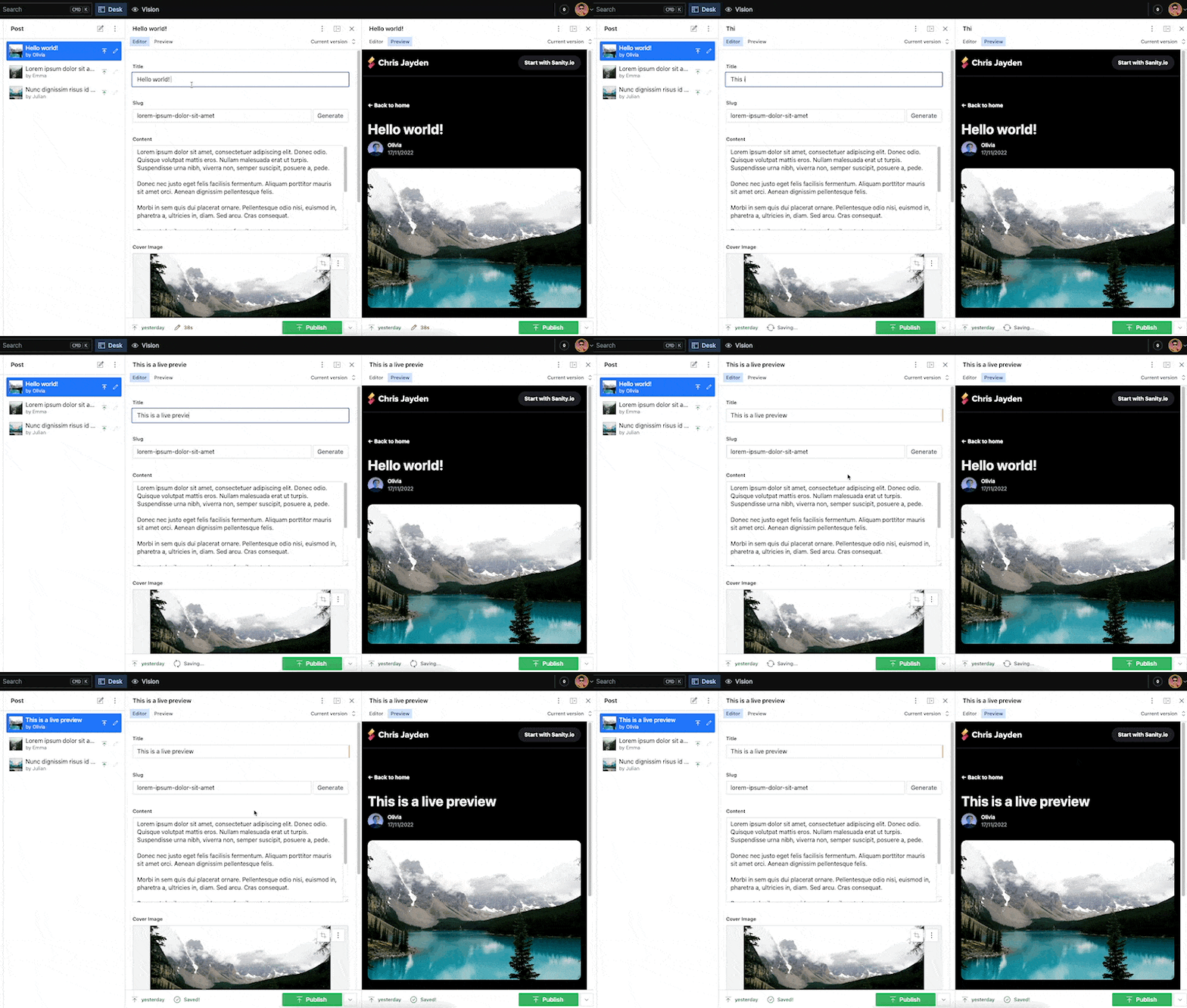
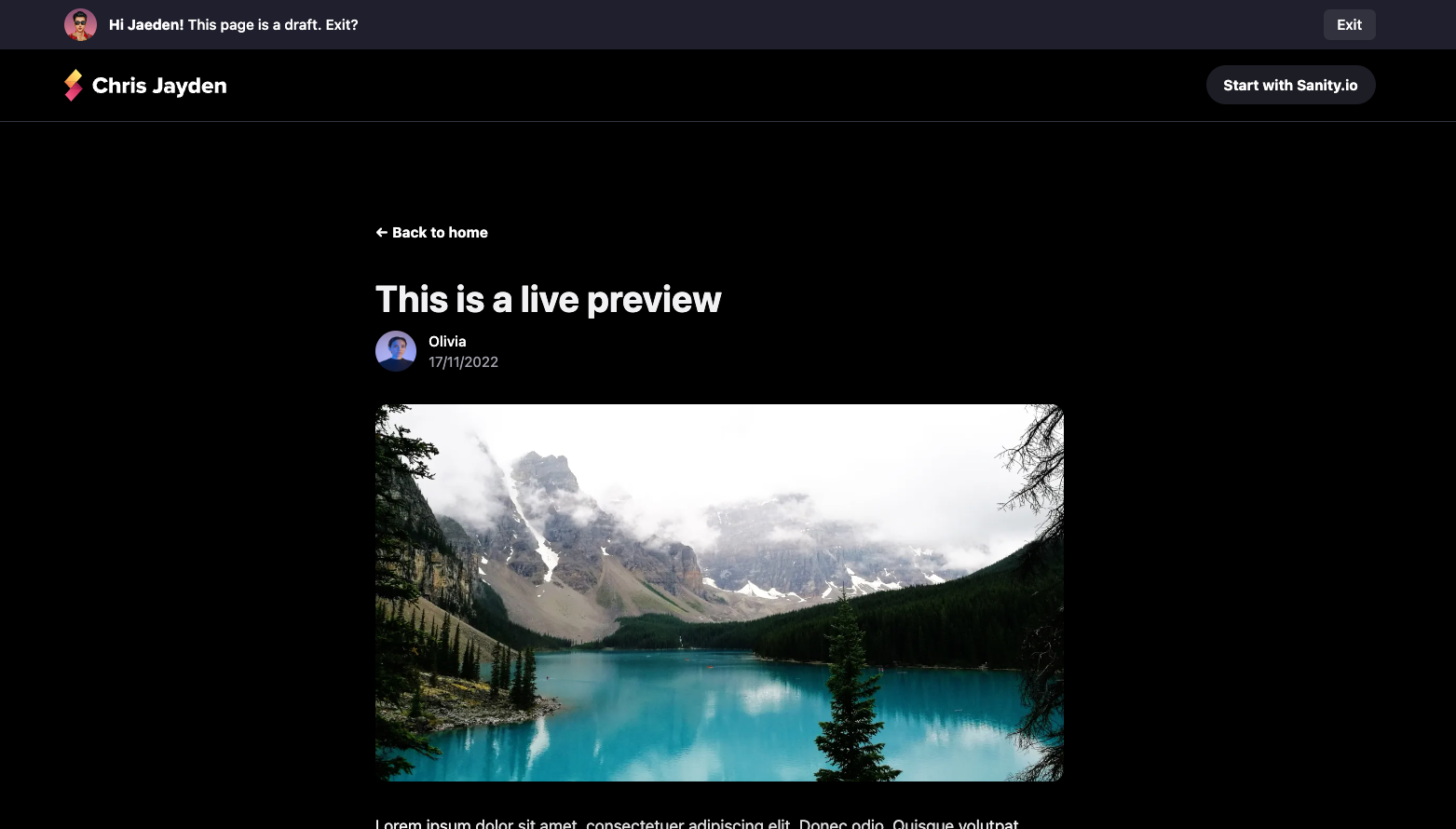
The cool thing is, this will set a cookie. Allowing us to do cool things on the frontend such as showing a banner that says "This page is a draft".
The final code for this article is available on GitHub. Use it as a reference or as a starting point for your own project.
Requirements
This guide assumes you're using Sanity V3, but with a little bit of tweaking it should work with V2 as well. Additionally you will also need:
- Beginner to somewhat intermediate knowledge of Javascript, SvelteKit and Sanity.
- Node.js and NPM, Yarn or PNPM installed.
- Your SvelteKit app needs to use GROQ for fetching data from your Sanity.io project.
Installing Sanity.io and SvelteKit
First, we need to create a new SvelteKit project. If you already have a project, you can skip installing SvelteKit.
npm create vite@latest
Then follow the prompts, make sure to select Svelte and SvelteKit. Using Typescript is highly recommended.
Follow my guide on how to set up Sanity.io Studio V3 with SvelteKit to set up your Sanity.io project and embed it in your SvelteKit app.
The obstacle is the way
The first challenge I ran into was that SvelteKit-unlike Next.js-doesn't have a built-in preview mode. I decided to take a look at how Next.js implements preview mode and see if I could do something similar.

The second challenge was that Sanity conventiently provides a toolkit for Next.js. But, I couldn't find anything similar for SvelteKit.
Creating the preview mode
Let's start by creating the preview mode. Besides the Groq query, this is not Sanity specific, and can be used for other CMS's as well.
In Sveltekit, any file in the routes directory can be an endpoint. Let's create a new folder called api in src/routes and inside that folder, create a new folder called preview.
Inside the preview folder, create a new file called +server.ts. This will be our preview endpoint.
	import type { RequestHandler } from './$types';
import { env } from '$env/dynamic/private';
import { setPreviewCookie } from '$lib/utils';
import { getSanityServerClient } from '$lib/config/sanity/client';
import { postBySlugQuery } from '$lib/config/sanity/queries';
import { error, redirect } from '@sveltejs/kit';

export const GET: RequestHandler = async ({ url, cookies, setHeaders }) => {
	const allParams = url.searchParams;
	const secret = env.VITE_SANITY_PREVIEW_SECRET;
	const incomingSecret = allParams.get('secret');
	const type = allParams.get('type');
	const slug = allParams.get('slug');

	// Check the secret.
	if (secret !== incomingSecret) {
		throw error(401, 'Invalid secret');
	}

	// Check if we have a type and slug parameter.
	if (!slug || !type) {
		throw error(401, 'Missing slug or type');
	}

	let redirectSlug = '/';
	let isPreviewing = false;

	if (type === 'post') {
		const post = await getSanityServerClient(true).fetch(postBySlugQuery, {
			slug
		});

		if (!post || !post.slug) {
			throw error(401, 'No post found');
		}

		isPreviewing = true;
		redirectSlug = `/posts/${post.slug}?isPreview=true`;
	}

	if (isPreviewing) {
		setPreviewCookie(cookies);
	}

	setHeaders({
		'Cache-Control': 'no-cache, no-store, must-revalidate, max-age=0, s-maxage=0'
	});

	throw redirect(302, redirectSlug);
};
The preview cookie utilities
	import type { Cookies } from '@sveltejs/kit';

const isDev = import.meta.env.DEV;
const cookieName = '__preview_mode';

export const setPreviewCookie = (cookies: Cookies) =>
	cookies.set(cookieName, 'true', {
		httpOnly: true,
		path: '/',
		sameSite: 'strict',
		secure: !isDev
	});

export const getPreviewCookie = (cookies: Cookies) => cookies.get(cookieName);

export const clearPreviewCookie = (cookies: Cookies) => {
	cookies.set(cookieName, 'true', {
		httpOnly: true,
		path: '/',
		sameSite: 'strict',
		secure: !isDev,
		expires: new Date(0)
	});
};
Setting up the preview in Sanity Studio V3
To get the preview to work, we can hook into the Structure Builder API. You can add any React component to S.view.component and it will be rendered in the Studio pane and have access to content in the form in real-time.
Create a PostsPreview.tsx component that renders an iframe with our preview endpoint:
	import { Card, Text } from '@sanity/ui';
import React from 'react';

export function PostsPreview(props: unknown) {
	if (!props.document.displayed.slug) {
		return (
			<Card tone="primary" margin={5} padding={6}>
				<Text align="center">Please add a slug to the post to see the preview!</Text>
			</Card>
		);
	}

	return (
		<Card scheme="light" style={{ width: '100%', height: '100%' }}>
			<iframe style={{ width: '100%', height: '100%' }} src={getUrl(props)} />
		</Card>
	);
}

function getUrl({ document }) {
	const url = new URL('/api/preview', location.origin);
	const secret = import.meta.env.VITE_SANITY_PREVIEW_SECRET;

	if (secret) {
		url.searchParams.set('secret', secret);
	}

	url.searchParams.set('slug', document.displayed.slug.current);
	url.searchParams.set('type', document.displayed._type);
	url.searchParams.set('random', Math.random().toString(36).substring(7));

	return url.toString();
}
Bringing it all together
Adding a SvelteKit server hook
	import { getPreviewCookie } from '$lib/utils';
import type { Handle } from '@sveltejs/kit';

export const handle: Handle = async ({ event, resolve }) => {
	const previewModeCookie = getPreviewCookie(event.cookies);

	event.locals.previewMode = false;

	if (previewModeCookie === 'true') {
		event.locals.previewMode = true;
	}

	const response = await resolve(event);

	return response;
};
Creating the server for the post route
	import { error } from '@sveltejs/kit';
import type { PageServerLoad } from './$types';
import { postQuery } from '$lib/config/sanity/queries';
import { getSanityServerClient } from '$lib/config/sanity/client';

export const load: PageServerLoad = async ({ params, locals: { previewMode } }) => {
	const post = await getSanityServerClient(previewMode).fetch(postQuery, {
		slug: params.slug
	});

	if (!post) {
		throw error(404, 'Post not found');
	}

	return {
		previewMode,
		slug: post?.slug || params.slug,
		initialData: {
			post
		}
	};
};
Creating the client for the post route
	<script lang="ts">
	import { previewSubscription } from '$lib/config/sanity';
	import { postQuery } from '$lib/config/sanity/queries';
	import type { PageData } from './$types';

	export let data: PageData;

	$: ({ initialData, previewMode, slug } = data);
	$: ({ data: postData } = previewSubscription(postQuery, {
		params: { slug },
		initialData,
		enabled: previewMode && !!slug
	}));
</script>

{#if $postData?.post}
	<div>{$postData.post.title}</div>
{/if}

And that's all! We now have a SvelteKit page that will render a post from Sanity. If we are in preview mode, the page will update in real time as we make changes to the post in Sanity.
If you have any questions, feel free to reach out to me on Twitter.