Recently, I found myself tasked with creating an upvote feature in an app I was working on. The app is using Sveltekit along with tRPC. Each upvote is recorded in a Redis instance
After deploying this feature to our beta users, we noticed that our logs and Redis database were going "brrrrr"

There was no meeting necessary to realize that we needed to rate limit requests to ensure users weren't abusing the system by upvoting too many items in a short timeframe.
However, as I delved into the work, I realized that there weren't many specific examples out there that illustrated how to implement rate limiting in a serverless environment with SvelteKit.
I decided to document my solution to this problem as I believe this can potentially help others facing the same problem.
And hey, what's a better way to demonstrate this than with something fun?
Introducing the 'High Five Cat' app!
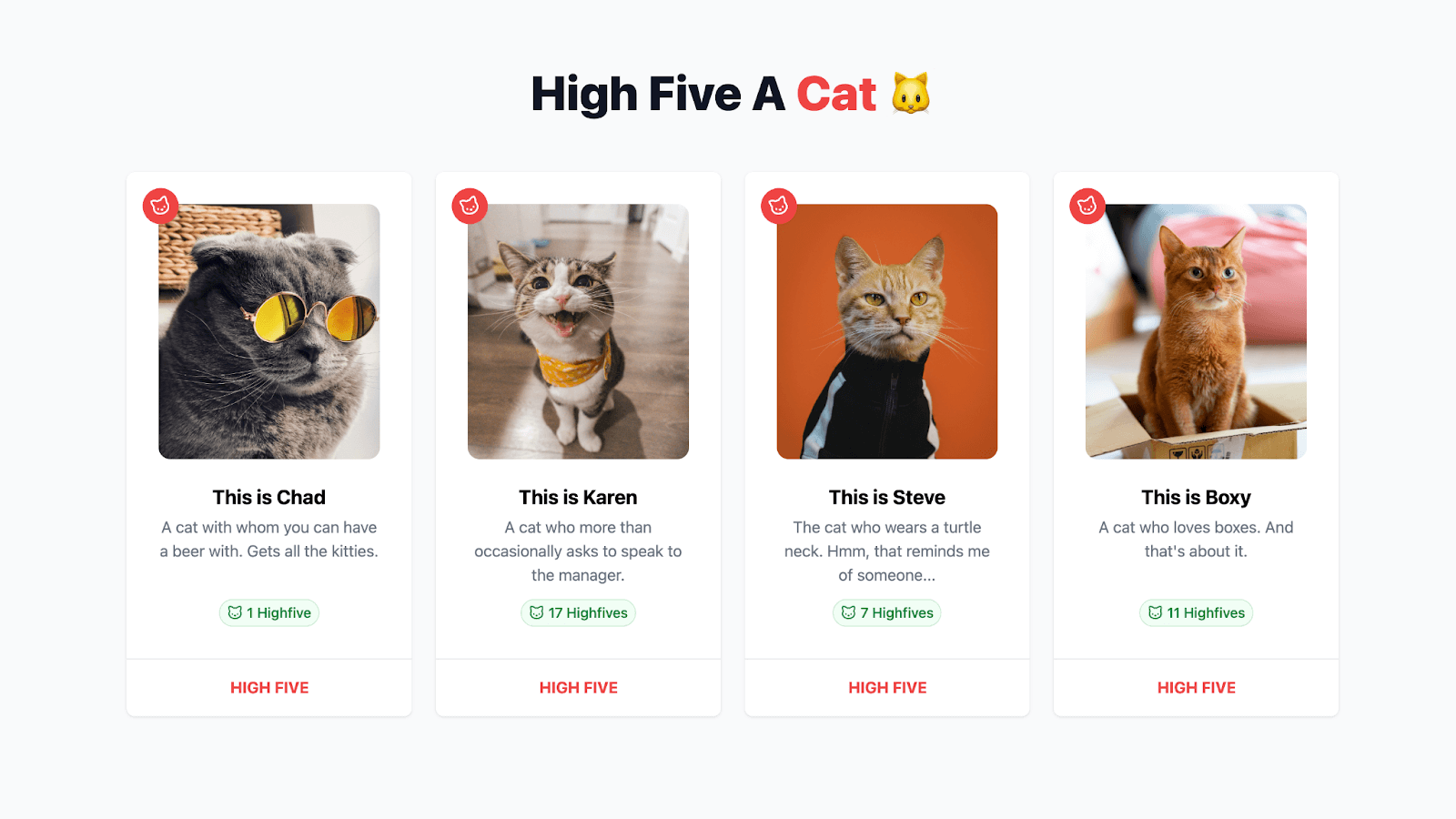
In this app, there are pictures of 4 different cats. As a visitor, you can high five these cats. Each request is managed through the tRPC middleware. This middleware conducts a check based on the user's IP to determine if any rate limitations apply.
Before we start, this is tutorial is not limited to upvoting (or in this case a high five) but this can be applied to many different use-cases. With all of that said, let's dive in.
Prerequisites
To get up and running with the app and following along you need:
- A fundamental understanding of SvelteKit, primarily regarding routes and server-side data loading.
- Basic to intermediate familiarity with tRPC, covering topics like routes, middleware, queries, and mutations.
- Access to a Redis instance for example, Upstash Redis.
Getting started
For the sake of efficiency, we won't be creating the entire application from scratch given that there's a bit of initial boilerplate. Instead, you can clone the sveltekit-trpc-ratelimit directory from the Upstash examples repo.
After successfully downloading the repository, navigate into the application using the cd command and install the necessary dependencies via your preferred package manager and set the .env variables by duplicating .env.example.
Understanding the key parts
Here's a quick rundown of all the important parts.
src/lib/api- This holds all tRPC logic, including routers and middleware.src/lib/api/routes/cat.router.ts– It specifies all logic for querying and mutating cat-related actions.src/lib/api/middlewares/rate...ware.ts– The middleware that manages each request and can potentially block it when the rate limit has exceeded.
src/routes/+page.server.ts- Renders the initial cats on the server.src/routes/+page.svelte- Loops through all the cats and showcases a cat in theCatCard.sveltecomponent.src/lib/components/CatCard.svelte- This component is where the magic happens. It displays the cat and allows the user to high five a cat.
Alright! It's time to break down the code and see the app in action!
Breaking down the code
Loading our cats data
In the +page.server.ts, we'll return all the cats.
	import { trpcLoad } from '$lib/api/trpc-load';
import type { PageServerLoad } from './$types';

export const load = (async (events) => {
	return {
		cats: trpcLoad(events, (t) => t.public.cat.getMany())
	};
}) satisfies PageServerLoad;
We use trpcLoad(events, (t) => t.public.cat.getMany()) to load all the cats. I've wrote more about the useful trpcLoad helper here.
Implementing the UI
This component might look a bit daunting, but in essence all we're doing is importing the tRPC client API and setting up the mutation that takes care of the high five.
When the high five button is clicked, a request is made to the tRPC route, where we check whether the cat exists and we'll store high five in Redis.
	import publicProcedure from '$lib/api/procedures/publicProcedure';
import { router } from '$lib/api/trpc';
import { TRPCError } from '@trpc/server';
import { ZCatSchema } from './cat.schema';

const getHighfiveKey = (id: string) => `highfive:${id}`;

export const catRouter = router({
	highfive: publicProcedure
		.input(ZCatSchema)
		.mutation(async ({ input, ctx: { getClientAddress } }) => {
			const cat = cats.find((cat) => cat.id === input.id);

			if (!cat) {
				throw new TRPCError({
					code: 'NOT_FOUND',
					message: 'Cat not found'
				});
			}

			const identifier = getHighfiveKey(input.id);
			const result = await redis.incr(identifier);

			return {
				...cat,
				highfives: result
			};
		})
});
Implementing the rate limiting
With that initial code in place, we're ready to implement the rate limiting feature.
I've chosen to use tRPC middleware rather than directly adding the code to the route itself. This improves code readability, but it can also be potentially re-used for other routes.
The highfiveRatelimitMiddleware begins by importing necessary modules and initialising a ratelimit object from the @upstash/ratelimit package that contains our Redis client and the specifics of our rate limiter. In this case, Ratelimit.slidingWindow(1, "60 s") specifies that only one request will be allowed every 60 seconds.
	import { redis } from '$lib/config/upstash';
import { TRPCError } from '@trpc/server';
import { middleware } from '../trpc';
import { Ratelimit } from '@upstash/ratelimit';

const ratelimit = new Ratelimit({
	redis: redis,
	limiter: Ratelimit.slidingWindow(1, '60 s')
});
The highfiveRatelimitMiddleware can be thought of as a checkpoint between the user's request and the server. It keeps tabs on three important things:
path: Is the identifier for each tRPC route-which may look like this:public.user.get.next: This represents what comes after this checkpoint. If everything is in order, thenextfunction is called.getClientAddress: The IP address of the client making the request is determined usinggetClientAddress(). This is a function from theRequestEventobject in SvelteKit.
The identifier for the rate limit is then created using the path and the ip, making it unique for each route and IP address.
	middleware(async ({ path, next, ctx: { getClientAddress, setHeaders } }) => {
	const ip = getClientAddress();
	const identifier = `${path}-${ip}`;

	return next();
});
The ratelimit.limit(identifier); method is then used to get the rate limit information for this request. If the result.success property is false, it means that the request has exceeded the rate limit and the middleware returns a TRPCError with TOO_MANY_REQUESTS code.
	const result = await ratelimit.limit(identifier);

if (!result.success) {
	throw new TRPCError({
		code: 'TOO_MANY_REQUESTS',
		message: JSON.stringify({
			limit: result.limit,
			remaining: result.remaining
		})
	});
}
If the result is successful, the middleware calls next(), allowing the request to continue to the next middleware or handler.
Wrapping up
Now all is left to do for us is to import our middleware and use it in our tRPC route.
	import publicProcedure from '$lib/api/procedures/publicProcedure';
import { router } from '$lib/api/trpc';
import { TRPCError } from '@trpc/server';
import { ZCatSchema } from './cat.schema';
import cats from './cats.json';
import highfiveRatelimitMiddleware from '../middlewares/ratelimitMidleware';
import { redis } from '$lib/config/upstash';

const getHighfiveKey = (id: string) => `highfive:${id}`;

export const catRouter = router({
	highfive: publicProcedure
		.use(highfiveRatelimitMiddleware) // <-- our middleware
		.input(ZCatSchema)
		.mutation(async ({ input, ctx: { getClientAddress } }) => {
			const cat = cats.find((cat) => cat.id === input.id);

			if (!cat) {
				throw new TRPCError({
					code: 'NOT_FOUND',
					message: 'Cat not found'
				});
			}

			const identifier = getHighfiveKey(input.id);
			const result = await redis.incr(identifier);

			return {
				...cat,
				highfives: result
			};
		})
});
The .use(highfiveRatelimitMiddleware) means that every time the highfive route is called, it will pass through our rate limit middleware before being processed.
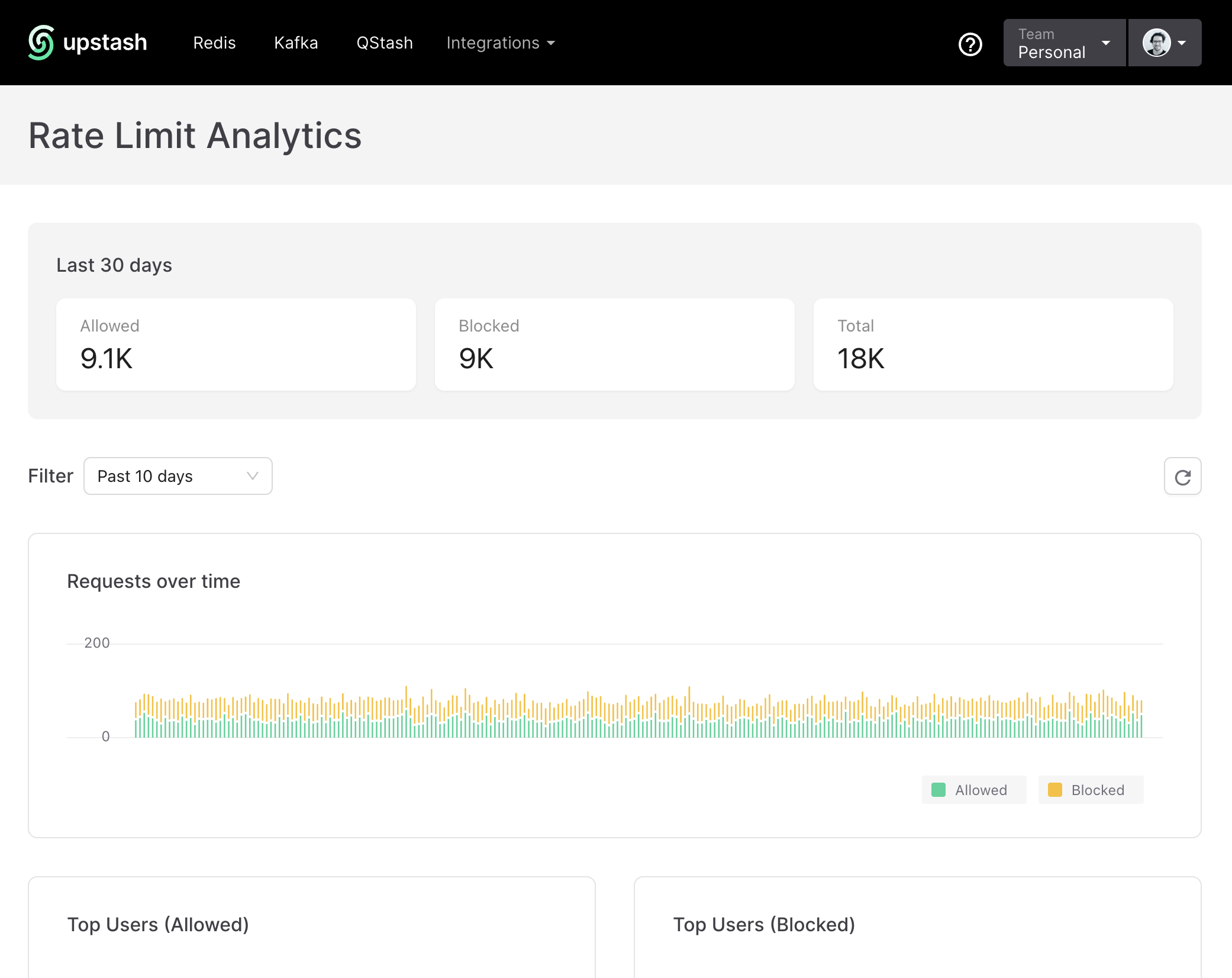
In conclusion, setting up rate limiting with tRPC middleware and Upstash is quite straightforward. Whether you need to prevent DDoS attacks or to simply regulate resource usage, I feel like Upstash Ratelimit covers those areas quite well.
Appreciate your time reading this blog post. For more insightful discussion or to ask questions, you should come hang out in the Upstash Discord community.